
::heading=Context
This article present how to do input box sensor settings with the Robotiq palletizing solution.
::heading=Knowledge
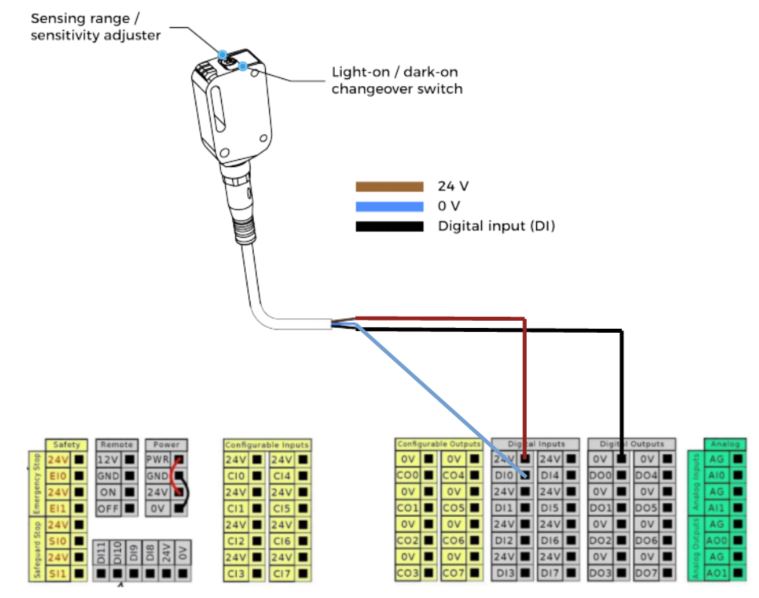
First you have to connect the box sensor to controller IO. You can for example choose to connect it to DI0.
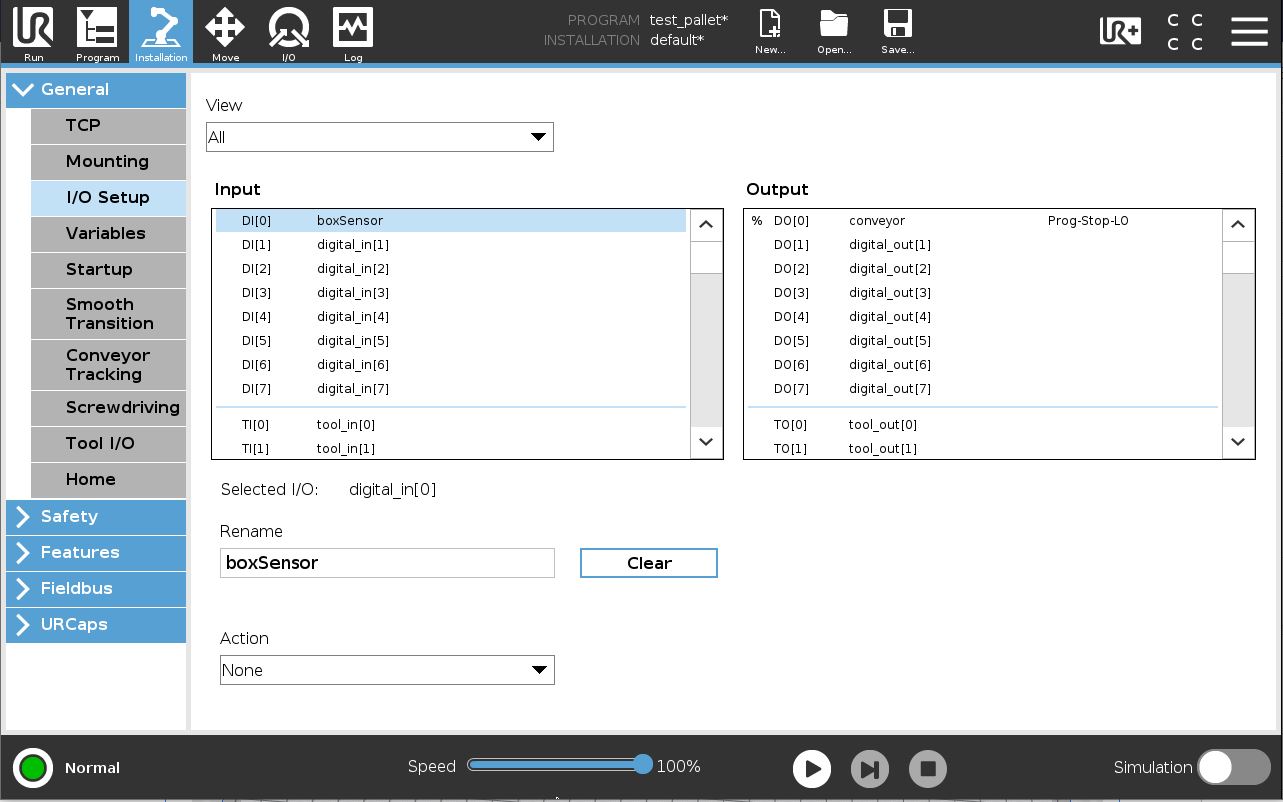
In the installation menu you can rename the DI to make things more easy to understand. In this case the name is: "boxSensor"
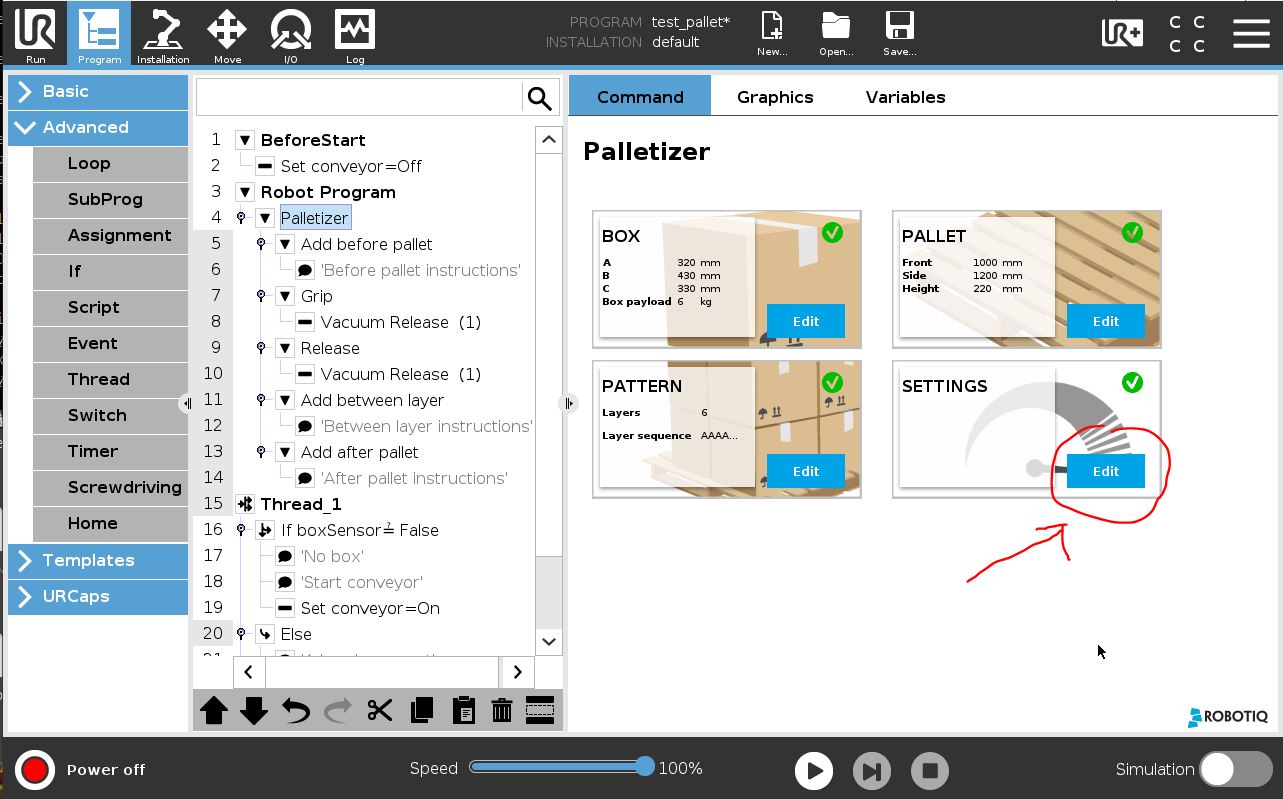
The settings of the box sensor is done on the palletizer node.
Enter the settings menu.
Select the box sensor DI in the pull down list "Box presence input".
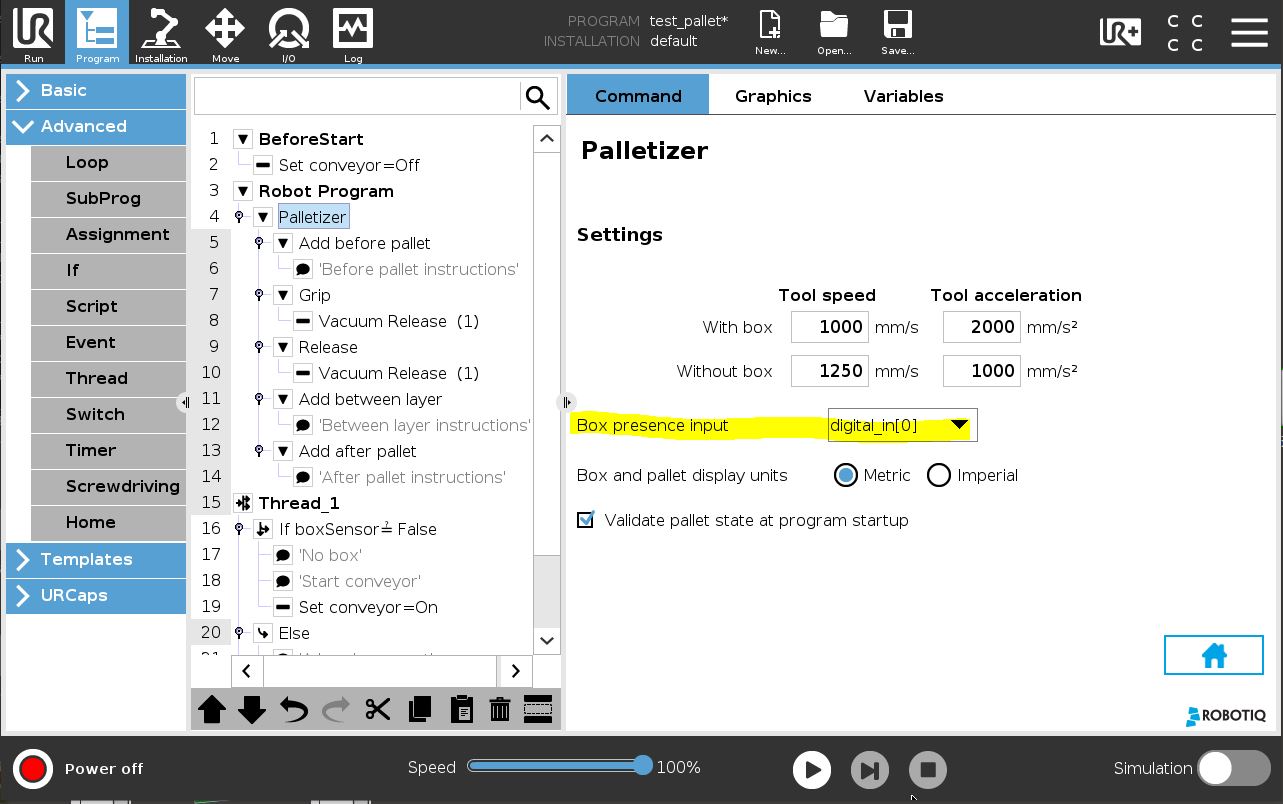
Input box sensor setting is now complete !
0 Comments