
::heading=Context
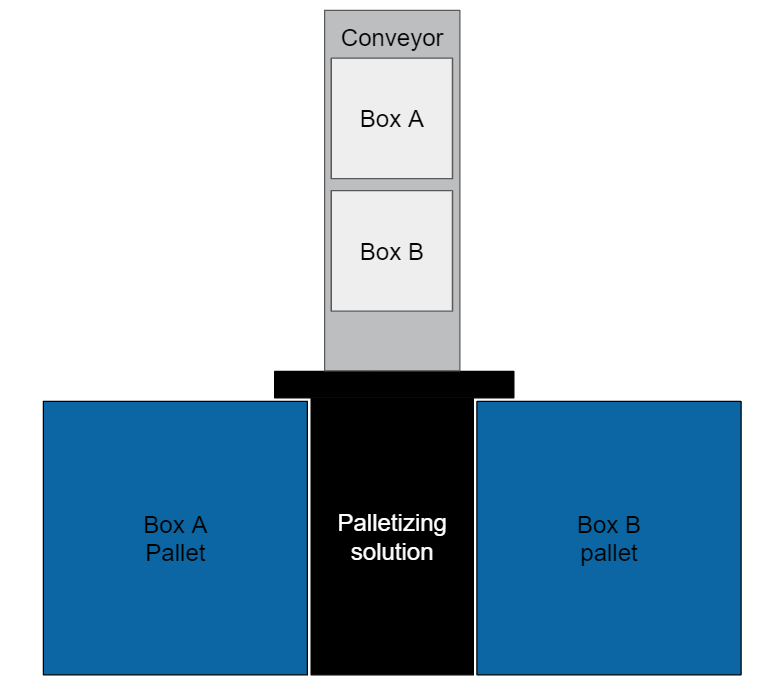
This application note presents a methodology to palletize 2 types of boxes with the same Robotiq palletizing solution. Product A is on the left and product B on the right.
We consider the 2 cases:
1. A and B boxes are delivered on separate conveyors.
The Left conveyor is for boxes A which are placed on the left pallet and right conveyor is for boxes B which are placed on pallet B.

2. A and B boxes are delivered on the same conveyor.
In some cases the 2 types of boxes may be delivered on the same conveyor. In such cases the system which delivers the box has to be capable of indicating to the palletizing solution which type of box is delivered. This can be done using IO inputs, modbus TCP or other communication methods.
::heading=Knowledge : How to program
Case 1 : Using Two Boxes on Separate Conveyors
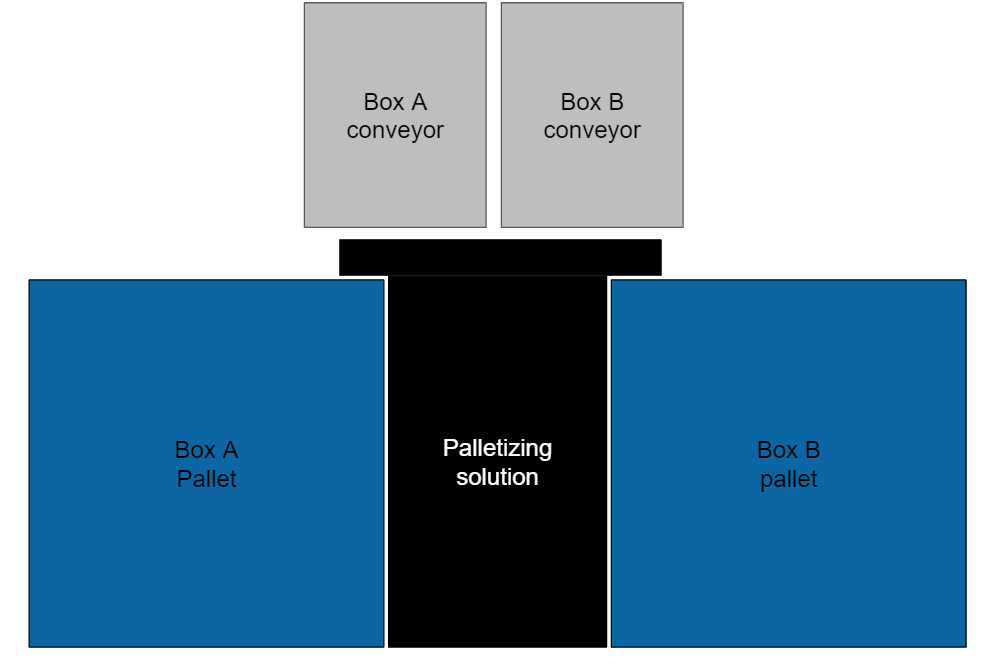
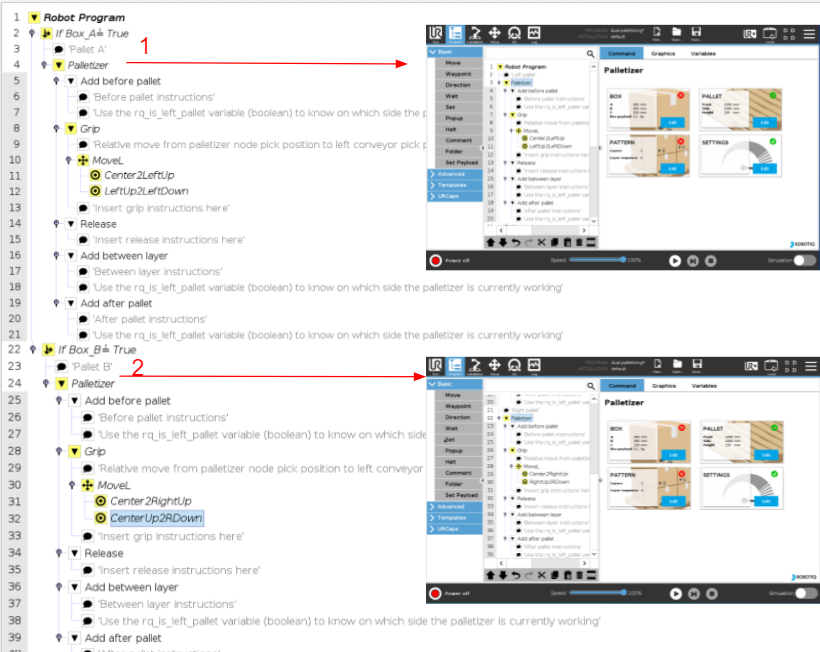
Here below is an example of a program to palletize with 2 conveyors. One for the left pallet and one for the right pallet.
It is composed of 2 Palletizer nodes. One node for the left pallet and one node for the right pallet.
::note= It is preferable to insert each Palletizer node inside an '' If '' condition so the program does not wait for a box to appear. For example, it will just skip node 2 until ''Box_B'' is detected (''True'') and execute node 1 once again (if a box is on the other conveyor). In this case, ''Box_A'' and ''Box_B'' are the status of each box sensor.
::note=Because boxes' presence have to be detected on the two conveyors, one box sensor has to be placed on each conveyor.
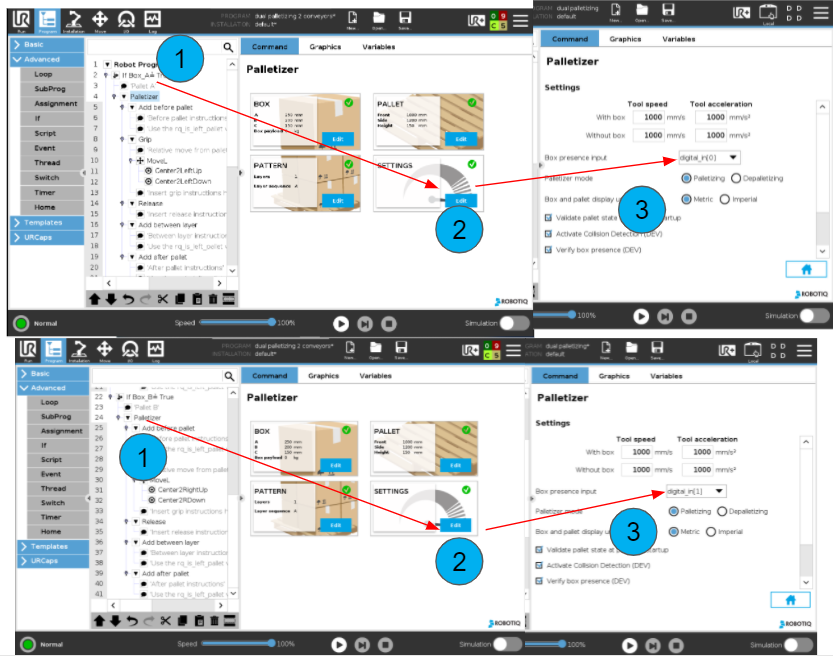
The Grip Position of those 2 Palletizer nodes is the same and is placed between the 2 conveyors above the highest box surface.
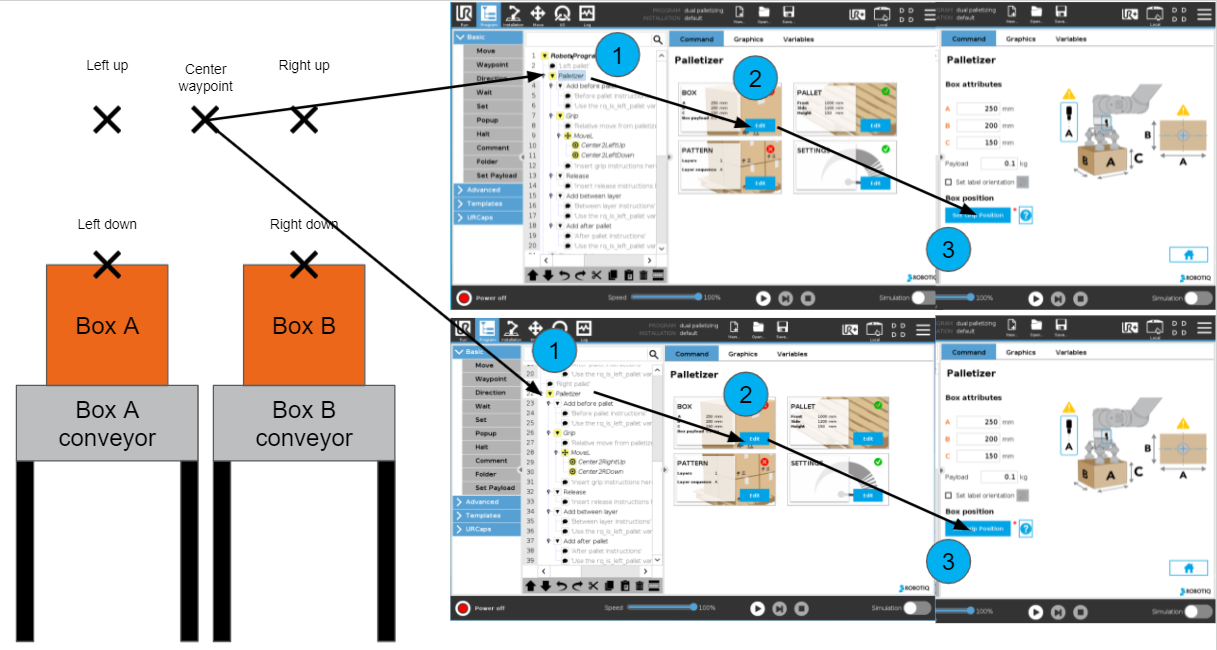
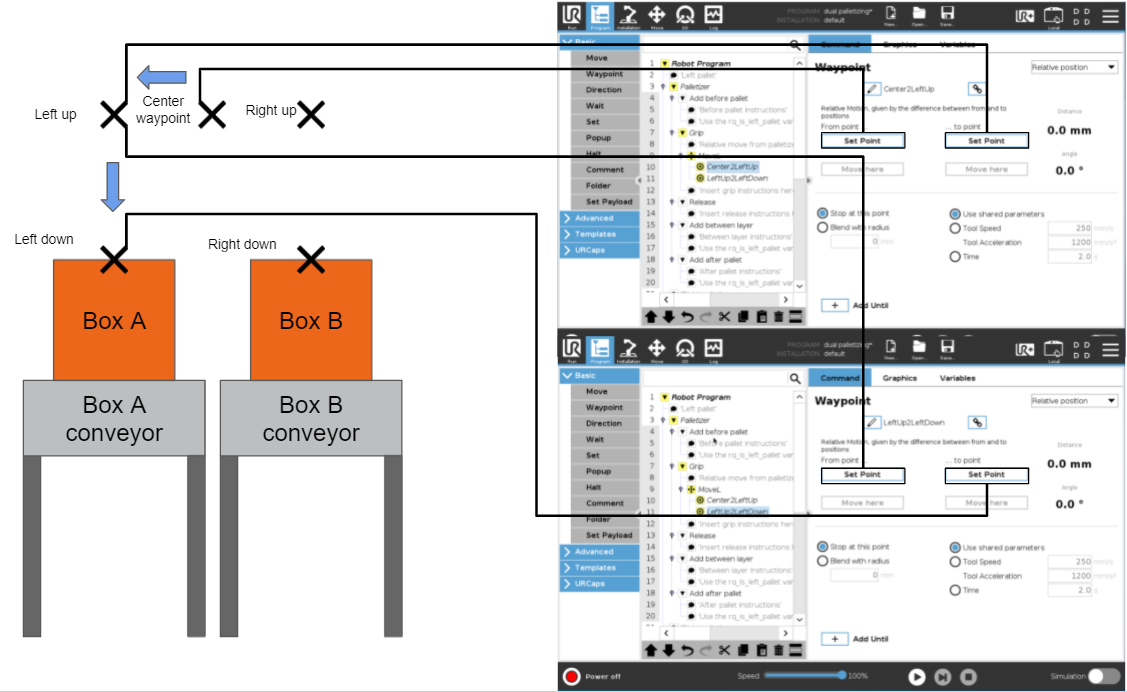
In the Grip folder of each Palletizer node, relative moves must be added to transit from the grip position registered in the palletizer nodes to the left/right pick position.
Here is how are set waypoints of the relative moveL, to go from the Grip Position of the Palletizer node to the left pick position.
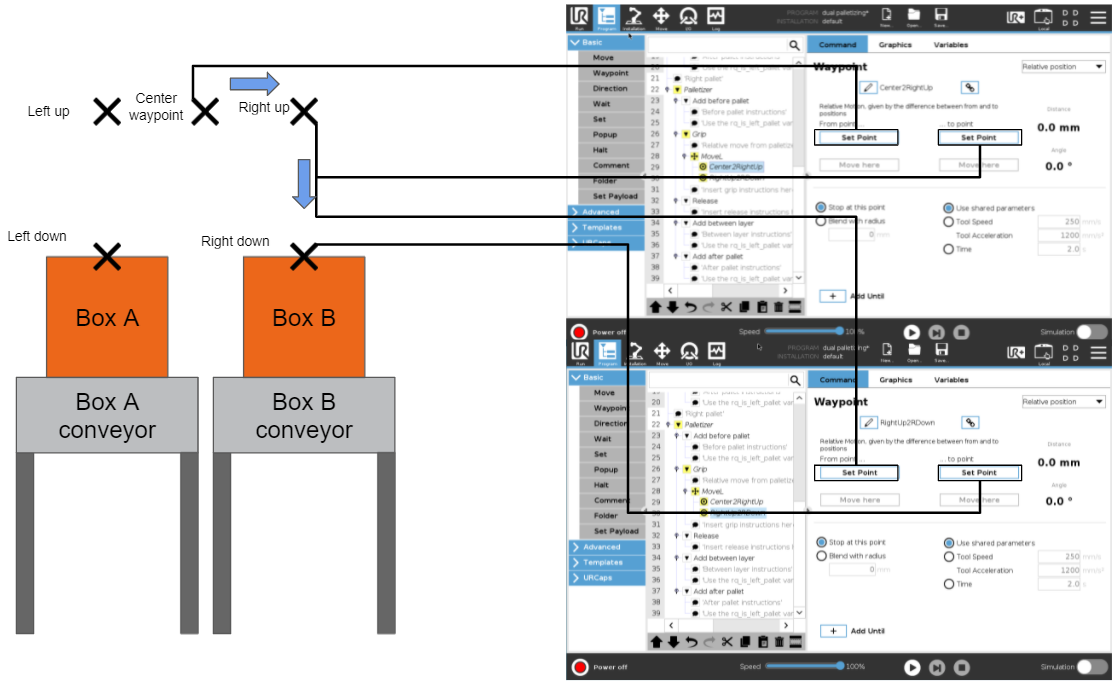
Below is the same process but for the right conveyor.
With such a program structure the system should be able to process the 2 conveyors input.
Case 2 : Two Boxes on the Same Conveyor
::info=The system which delivers the box has to communicate to the palletizing solution which type of box is delivered. This can be done using IO inputs, modbus TCP or other communication methods.
Here is an example of program structure to palletize with one conveyor delivering 2 types of boxes.
It is composed of 2 Palletizer nodes. One node is used for the left pallet and the other for the right pallet. Each node is placed under a separate ''If'' condition. The left node is executed only if the input box is a box A. The right node is executed only if the input box is a box B.
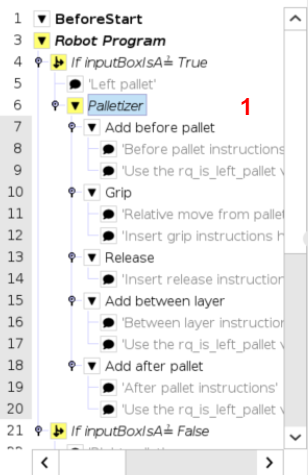
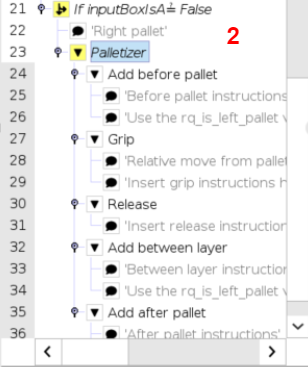
::note=Both nodes use the same box sensor.
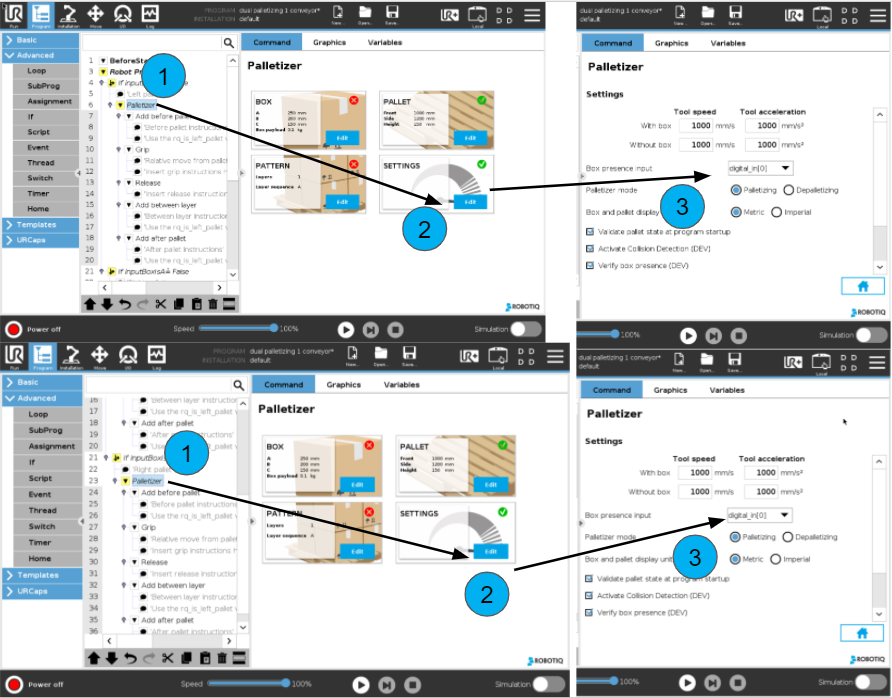
The Grip Position of those 2 Palletizer nodes is the same and is placed above the surface of the bigger box.
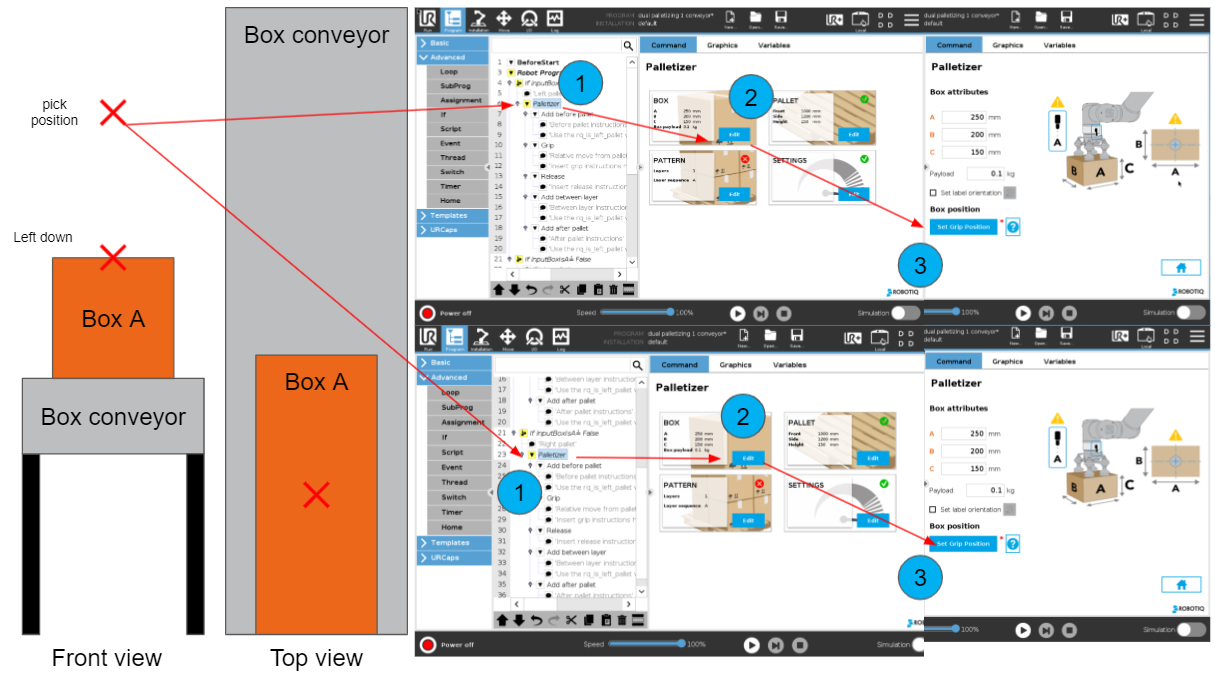
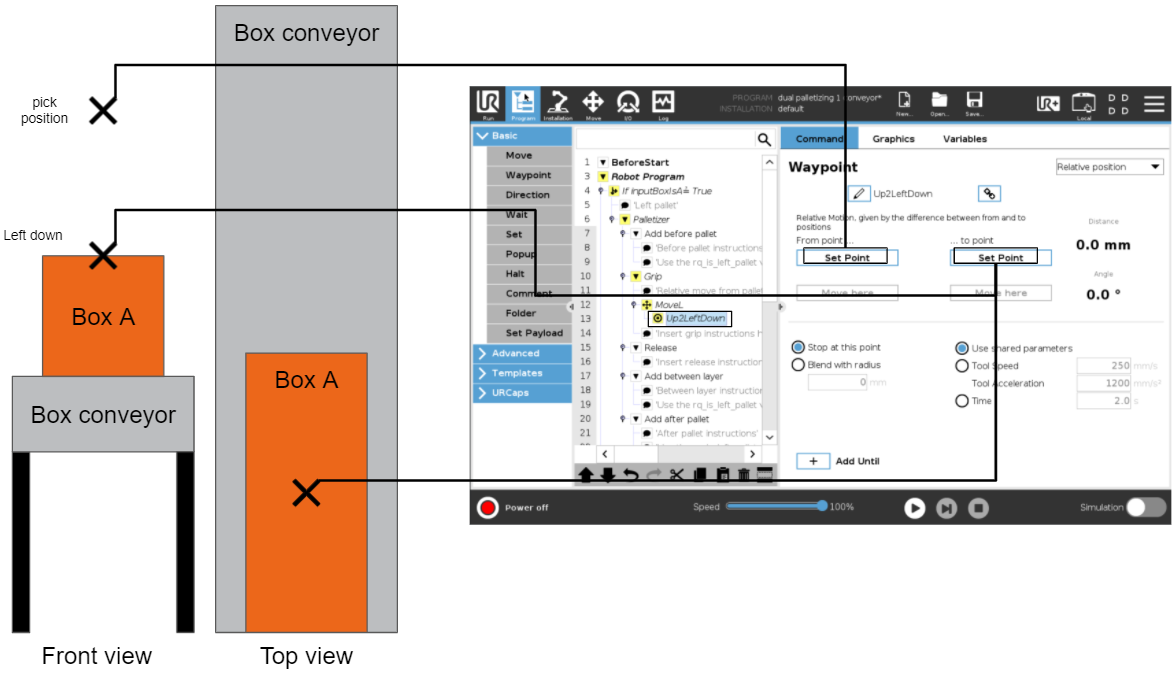
As boxes may have different sizes, it is necessary to add a relative move before the grip action of each palletizer node.
Here below is the relative move in case of box A (left side).
Here below is the relative move in case of box B (right side).
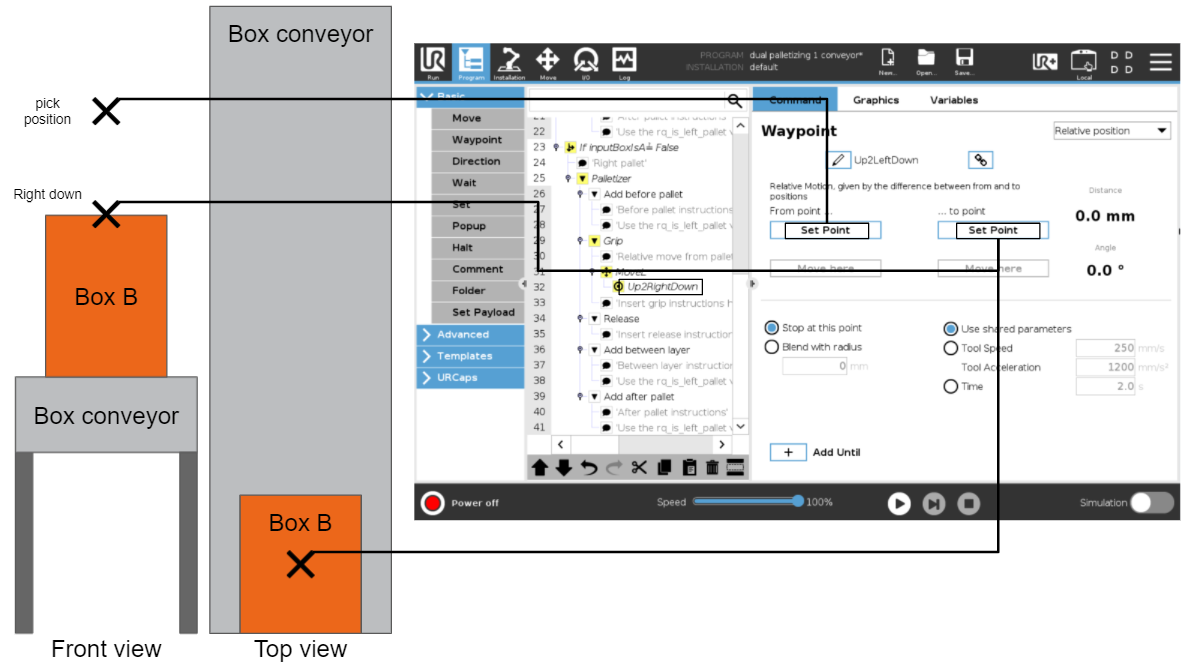
With such program structure the system should be able to process 2 types of boxes on the same conveyor.
0 Comments