
::heading=Context
Visual offset tag is a function of Robotiq wrist camera used to make relative programming according to a visual reference.

The programming process consist in defining a reference position of the tag in installation menu and then set the relative waypoint to this reference position in the program.
::heading=Knowledge
It may happen that after you set all relative position you
want to change the position of the tag relatively to your waypoints. I would like to share with you a method to do that without having to reteach all relative waypoints.
Example:
You teach picking waypoint of a tray with the tag placed at the center and you finally decide to place the tag in a corner of the tray.
Let say that you programmed a Find Visual Offset node with reference position "Tag_1" and would like to change for reference "Tag_2" without having to reteach waypoints.
1/ Use Copy and Past to duplicate the Find Visual Offset node done with "Tag_1"
2/ Suppress the origin Find Visual Offset node to have a backup just in case
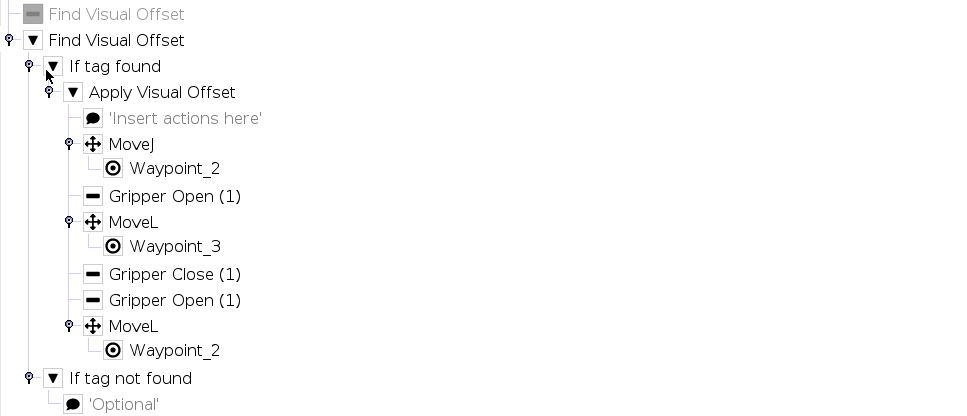
3/ Insert the following assignment before Find Visual Offset Node:
tag1_from_tag2:=pose_trans(pose_inv(Tag_2),Tag_1)
This calculate the coordinate of "Tag_2" in "Tag_1" frame.

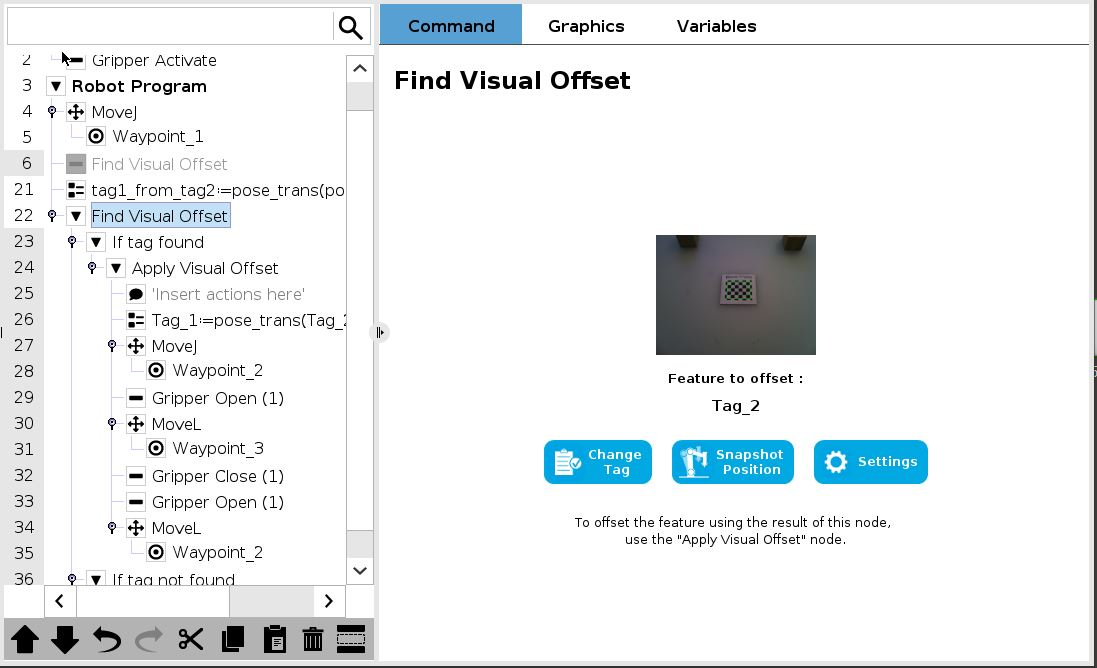
4/ Reset Find Visual Offset to work with "Tag_2"
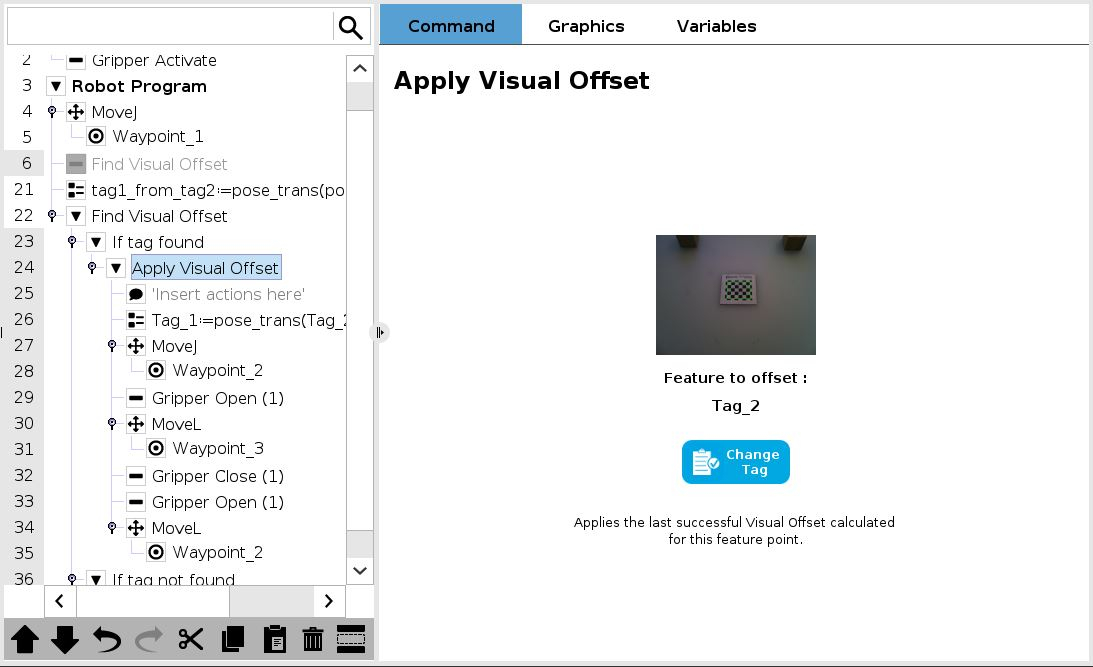
5/ Change Apply Visual Offset to work with "Tag_2"
6/ Insert the following assignment before relative moves inside Apply Visual Offset:
Tag_1:=pose_trans(Tag_2,tag1_from_tag2)

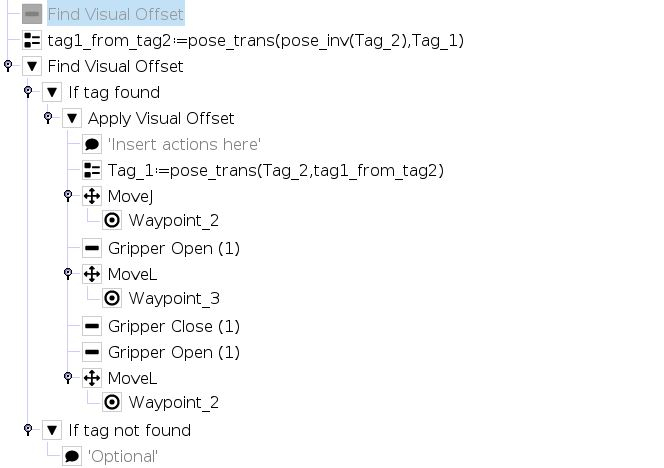
Relative motion will now be done relative to "Tag_2" reference.
Here below is a global view of the program after those modifications:
0 Comments