
::heading=Problem
An error message prompt appears when the 2F gripper is connected to a UR robot wrist : "ToolA: C289A9: Tool connector: Current of 1.1645807 A on the power pin is outside of the allowed range."
::heading=Troubleshooting procedure
1. Verify the firmware version of the 2-Finger Gripper. Go to Installation>URCaps>Gripper>About.
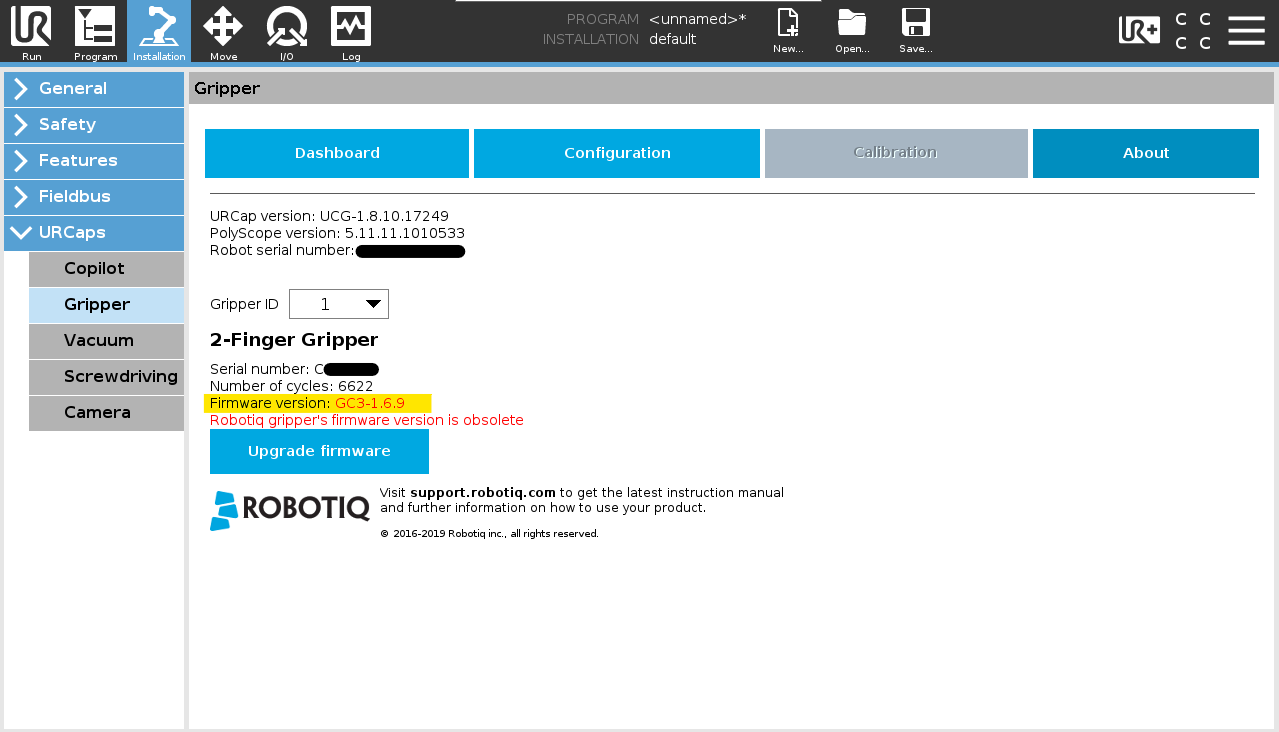
::info=If the Gripper firmware version is 1.6.13 or later. Skip step 2.
2. Update the 2-Finger Gripper firmware.
i. Download the Robotiq Universal Upgrader (RUU) from the support website. Extract the file on a PC.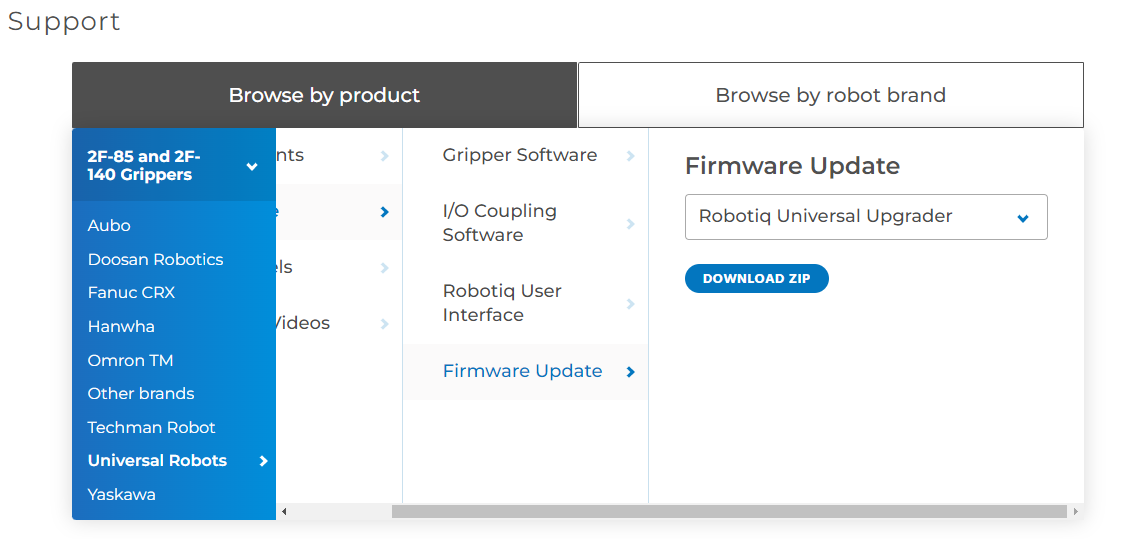
ii. Connect the 2F Gripper to the PC using the RS-485-to-USB converter. 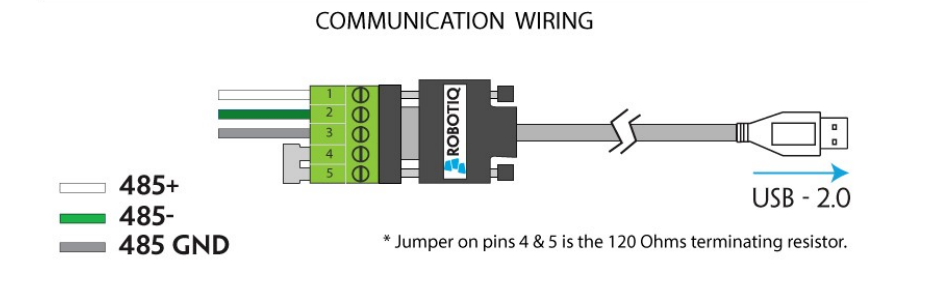
::note=Red (24V) and black (0V) cables do not need to be connected for USB communication.
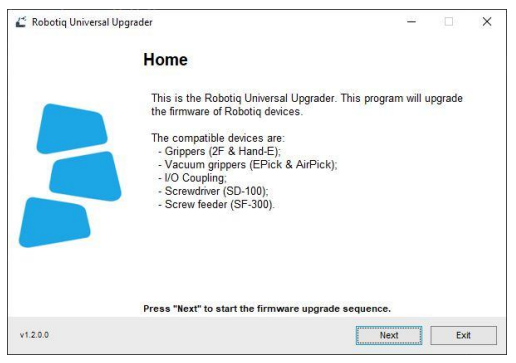
iii. Read the Robotiq Universal Upgrader (RUU) instructions.
iv. Proceed with the update.
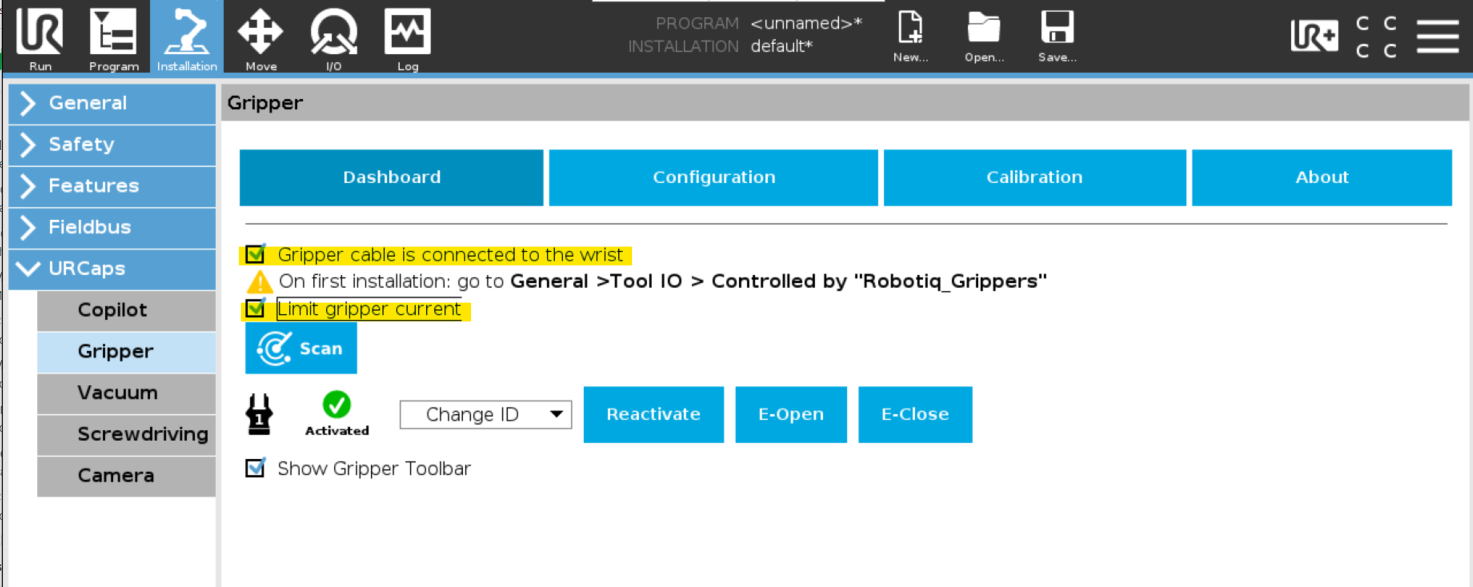
3. If the coupling used is the E-Series coupling, you need to check the "Gripper cable is connected to the wrist" and "Limit gripper current" options. (Installation>URCaps>Gripper>Dashboard)
4. Set the "Controlled by" field to "Robotiq_Grippers". (Installation>General>Tool I/O)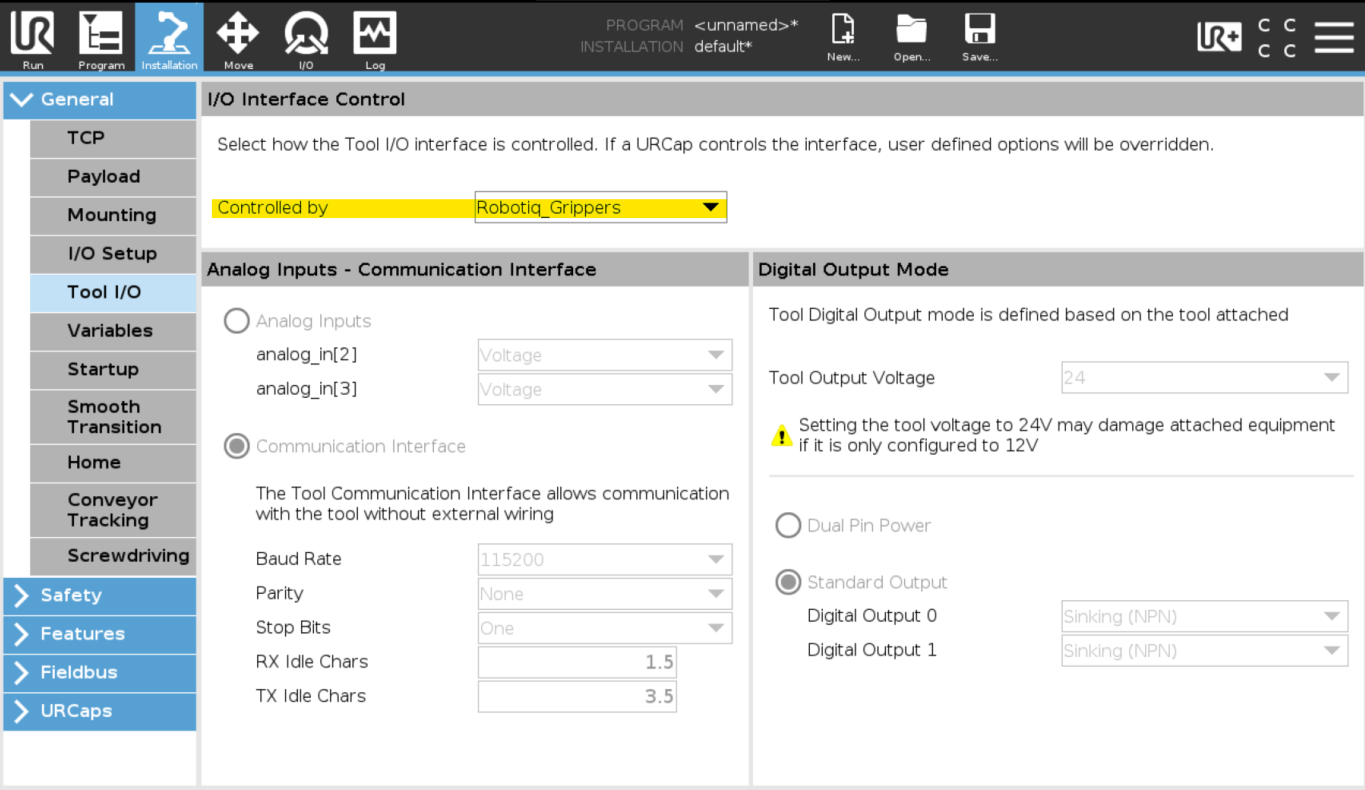
::heading=Conclusion
Completing these steps will solve the 2-Finger overcurrent error message when using a UR robot wrist connection.
0 Comments